
x86 Architecture for Malware Analysis - TryHackMe Writeup
Hey everyone! Today I’m diving into the fundamentals of x86 architecture - the essential knowledge every malware analyst needs. This TryHackMe room provides a solid foundation for understanding how systems work at the lowest level, which is crucial for effective malware reverse engineering.
Understanding CPU architecture isn’t just academic - it’s the key to comprehending how malware exploits system design to achieve its malicious goals. Let’s explore the building blocks that make modern computing possible!

Why x86 Architecture Matters for Security
Malware often works by abusing the way systems are designed. To understand how these attacks work and how to defend against them, we need to understand the underlying architecture that malware targets.
This room covers the essential components that every security professional should know:
Learning Objectives
Through this comprehensive overview, we’ll master:
- CPU architecture fundamentals and core components
- Register types and usage in x86 systems
- Memory layout from a program’s perspective
- Stack operations and their security implications
CPU Architecture Overview - The Von Neumann Model
The CPU architecture that powers most modern systems is based on the Von Neumann architecture. This foundational design separates the system into distinct but interconnected components.
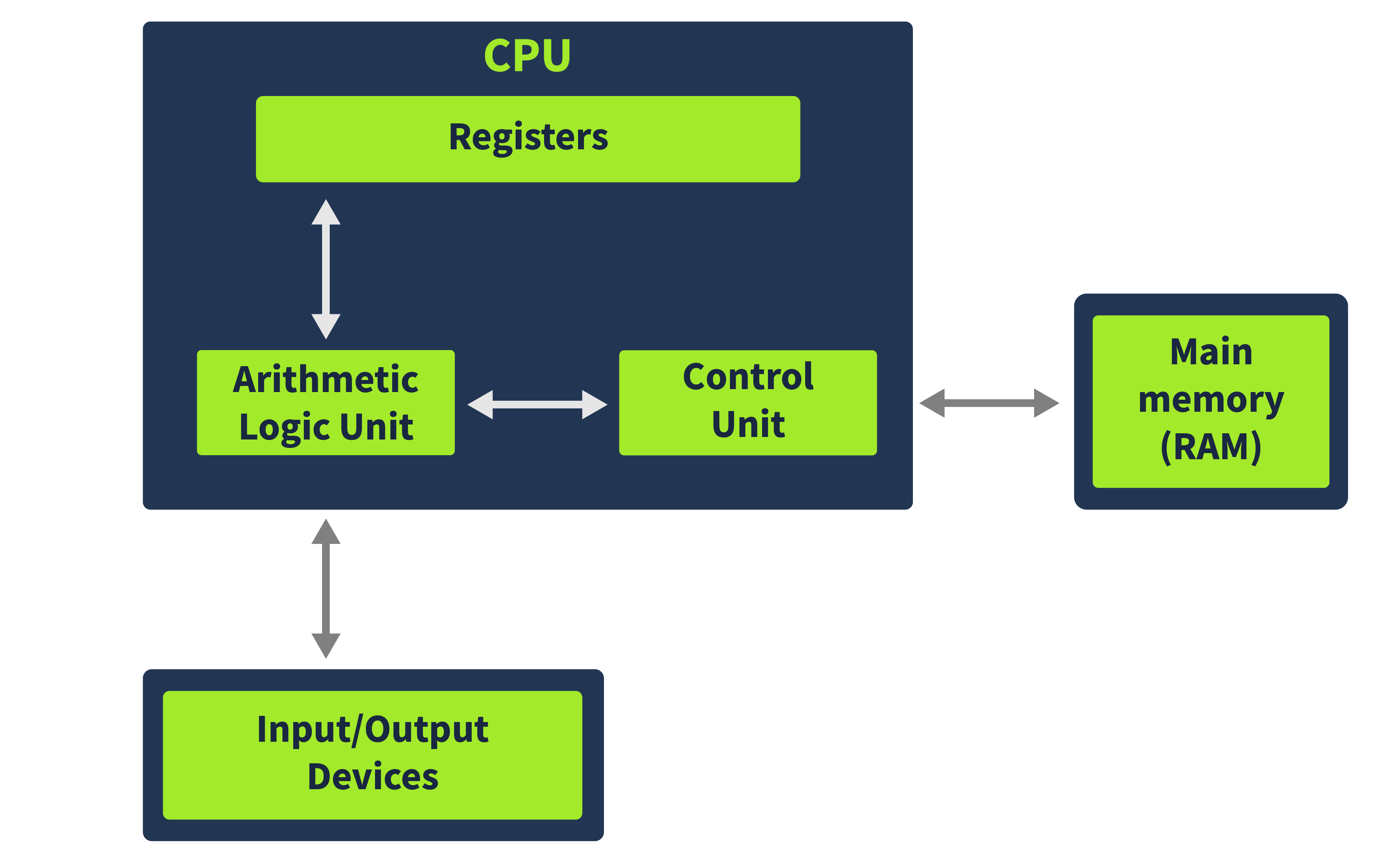
Core Components Breakdown
Control Unit: The brain of the operation that fetches instructions from main memory. It uses a special register called the Instruction Pointer (IP) to track the next instruction to execute:
- 32-bit systems: Uses EIP (Extended Instruction Pointer)
- 64-bit systems: Uses RIP (64-bit Instruction Pointer)
Arithmetic Logic Unit (ALU): Where the actual computation happens. The ALU executes the instructions fetched by the Control Unit and stores results in either registers or memory.
Registers: The CPU’s high-speed storage. These are much smaller than main memory but provide lightning-fast access to critical data that the CPU needs immediately.
Memory (RAM): Contains all the code and data needed for program execution. When you run a program, its code and data are loaded here for the CPU to access instruction by instruction.
I/O Devices: Everything that interacts with the computer - keyboards, mice, displays, storage devices, and network interfaces.
Quick Knowledge Check:
- Q1: Where are code and data stored for program execution? Answer: Memory
- Q2: What component stores small amounts of high-speed data? Answer: Registers
- Q3: Where do arithmetic operations happen? Answer: Arithmetic Logic Unit
Register Deep Dive - The CPU’s Workspace
Registers are the CPU’s most precious resource - incredibly fast but extremely limited in size. Understanding how they’re used is crucial for malware analysis.
Instruction Pointer
Contains the memory address of the next instruction to execute. This register is fundamental to program control flow and is often targeted in exploitation attempts.
General Purpose Registers
These workhorses handle the bulk of program operations:
EAX/RAX (Accumulator Register):
- Primary register for arithmetic operations
- Often stores function return values
- Accessible as 64-bit RAX, 32-bit EAX, or 16-bit AX
EBX/RBX (Base Register):
- Frequently used to store base addresses for memory references
- Useful for pointer arithmetic and array indexing
ECX/RCX (Counter Register):
- The go-to register for loop operations and counting
- Accessible as 64-bit RCX, 32-bit ECX, 16-bit CX, and 8-bit CH/CL
EDX/RDX (Data Register):
- Essential for multiplication and division operations
- Often holds the high-order bits in extended arithmetic
- Accessible as 64-bit RDX, 32-bit EDX, 16-bit DX, and 8-bit DH/DL
ESP/RSP (Stack Pointer):
- Points to the current top of the stack
- Critical for function calls and local variable management
- Cannot be subdivided into smaller registers
EBP/RBP (Base Pointer):
- Provides a stable reference point for accessing stack parameters
- Essential for function prologue and epilogue operations
ESI/RSI (Source Index):
- Used in string operations as the source pointer
- Works with the Data Segment (DS) register
EDI/RDI (Destination Index):
- Used in string operations as the destination pointer
- Works with the Extra Segment (ES) register
R8-R15 (64-bit Extended Registers):
- Available only in 64-bit systems
- Provide additional general-purpose storage
- Accessible in multiple sizes (R8D for 32-bit, R8W for 16-bit, R8B for 8-bit)
Quick Knowledge Check:
- Q1: Which register holds the next instruction address? Answer: Instruction Pointer
- Q2: What’s the 32-bit counter register called? Answer: ECX
- Q3: Which registers don’t exist in 32-bit systems? Answer: R8-R15
Status Flags and Segment Registers
Status Flag Registers (EFLAGS/RFLAGS)
These single-bit flags provide crucial information about the last operation’s results:
Zero Flag (ZF):
- Set to 1 when the last operation resulted in zero
- Example: Subtracting a register from itself sets ZF=1
Carry Flag (CF):
- Indicates when an operation produces a result too large for the destination
- Example: Adding 0xFFFFFFFF + 0x00000001 in a 32-bit register sets CF=1
Sign Flag (SF):
- Set when the result is negative or the most significant bit is 1
- Critical for signed arithmetic operations
Trap Flag (TF):
- Enables single-step debugging mode
- Security Note: Malware often checks this flag to detect debuggers!
Register Categories Summary
| General Registers | Segment Registers | Status Registers | Instruction Pointer |
|---|---|---|---|
| RAX, EAX, AX, AH, AL | CS (Code Segment) | EFLAGS/RFLAGS | EIP, RIP |
| RBX, EBX, BX, BH, BL | SS (Stack Segment) | ||
| RCX, ECX, CX, CH, CL | DS (Data Segment) | ||
| RDX, EDX, DX, DH, DL | ES (Extra Segment) | ||
| RBP, EBP, BP | FS, GS (Extra Segs) | ||
| RSP, ESP, SP | |||
| RSI, ESI, SI | |||
| RDI, EDI, DI | |||
| R8-R15 |
Quick Knowledge Check:
- Q1: Which flag helps detect debuggers? Answer: Trap Flag
- Q2: Which flag indicates a negative result? Answer: Sign Flag
- Q3: Which segment register points to code? Answer: Code Segment
Memory Layout - A Program’s View
When a program loads in Windows, it doesn’t see the entire system memory. Instead, it gets an abstracted, isolated view that contains only what it needs. This abstraction is crucial for both security and stability.
Memory Sections Breakdown
Code Section:
- Contains the program’s executable instructions
- Corresponds to the
.textsection in PE files - Has execute permissions - the CPU can run code from here
- Security Note: Code injection attacks often target this section
Data Section:
- Stores initialized constants and global variables
- Maps to the
.datasection in PE files - Contains values that remain constant during execution
- Read-only to prevent accidental modification
Heap (Dynamic Memory):
- Runtime-allocated memory for variables created during execution
- Memory is allocated and freed as needed
- Security Risk: Heap overflow vulnerabilities are common attack vectors
- Size can grow and shrink based on program needs
Stack:
- Critical for security analysis! Contains local variables, function parameters, and return addresses
- Uses Last-In-First-Out (LIFO) ordering
- Primary target for buffer overflow attacks due to return address storage
- Controls program execution flow
Quick Knowledge Check:
- Q1: Does a program see all system memory? Answer: N
- Q2: Which section contains executable instructions? Answer: Code
- Q3: Which section contains control flow information? Answer: Stack
Stack Layout - The Heart of Exploitation
The stack is absolutely critical for malware analysis because it’s where most control-flow hijacking attacks occur. Understanding its structure is essential for recognizing and analyzing exploits.
Stack Mechanics
The stack operates on a Last-In-First-Out (LIFO) principle:
- Push A, B, C onto stack
- Pop operations return C, B, A (reverse order)
Key Stack Registers
Stack Pointer (ESP/RSP):
- Always points to the current top of the stack
- Automatically adjusts when items are pushed or popped
- Changes dynamically during program execution
Base Pointer (EBP/RBP):
- Provides a stable reference point for the current function
- Remains constant throughout function execution
- Used to access local variables and parameters with fixed offsets
Stack Frame Structure
From top to bottom, a typical stack frame contains:
- Local Variables (at higher addresses)
- Base Pointer (EBP) - Current function’s reference point
- Old Base Pointer - Previous function’s EBP value
- Return Address - Where execution continues after function ends
- Function Arguments - Parameters passed to the function
Security Implications
Stack Buffer Overflow: The most common exploitation technique involves:
- Overflowing a local variable buffer
- Overwriting the return address
- Redirecting execution to attacker-controlled code
This is why understanding stack layout is fundamental to malware analysis!
Hands-On Challenge
The room includes a practical challenge to test your understanding of stack concepts:
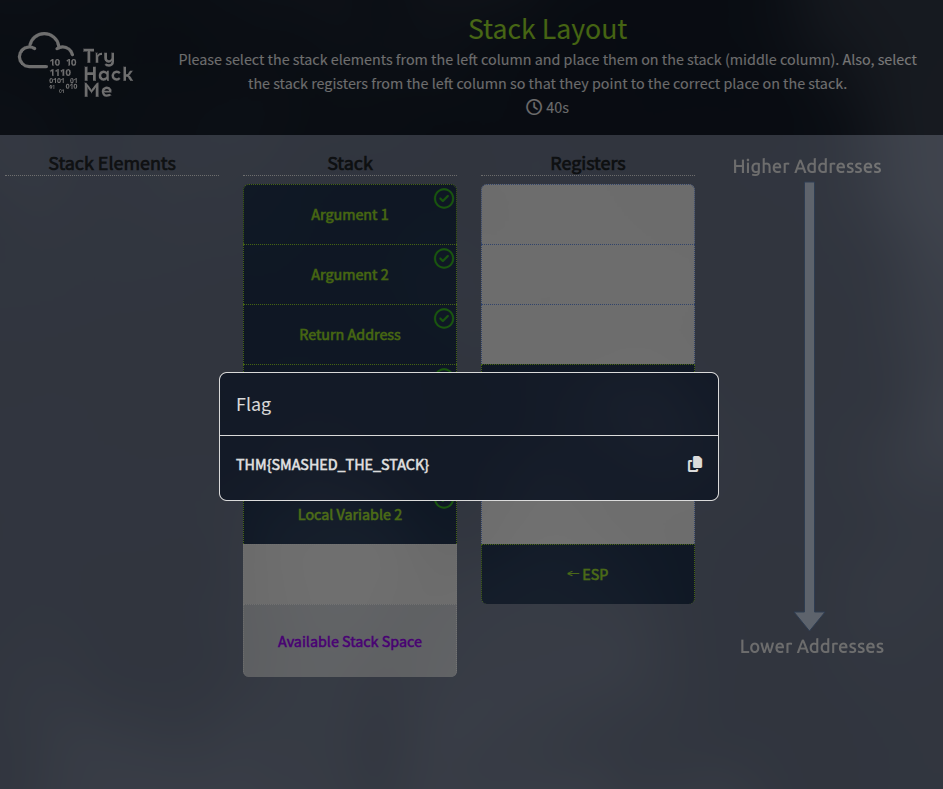
Following the instructions in the static site challenge, the flag is: THM{SMASHED_THE_STACK}
This flag name perfectly illustrates the concept - “smashing the stack” is classic terminology for stack buffer overflow attacks!
Key Takeaways

This foundational knowledge of x86 architecture provides the essential building blocks for malware analysis:
Technical Foundations Mastered
- Von Neumann CPU architecture and its security implications
- Register usage patterns that malware exploits
- Memory segmentation and access controls
- Stack operations and vulnerability patterns
Security Applications
- Control flow hijacking through return address manipulation
- Register manipulation in shellcode and exploits
- Memory layout attacks targeting different sections
- Anti-debugging techniques using status flags
Next Steps for Malware Analysis
- Apply this knowledge to understand assembly code in disassemblers
- Recognize exploitation patterns in malware samples
- Identify anti-analysis techniques that target these fundamentals
- Build upon this foundation for advanced reverse engineering
Understanding x86 architecture isn’t just about knowing how computers work - it’s about understanding the attack surface that malware authors exploit. With this knowledge, you’re ready to dive deeper into malware analysis and reverse engineering!
Analysis completed on January 1, 2026 using TryHackMe’s interactive learning platform
Next reads
View all →31 Dec
Mastering Obfuscation Principles - TryHackMe Writeup
A comprehensive guide to understanding obfuscation techniques for malware evasion, from basic concatenation to advanced control flow manipulation. Learn how attackers hide their code and how defenders can spot these techniques.
4 Sept
Symbol Tables: What Function Names Actually Are
Function names in a binary are just entries in a table. Two tables actually: .symtab and .dynsym. Here's what each is for, how the struct works, and how to resolve a name from an address.
3 Sept
Building a Custom ELF Loader from Scratch, in C
You type ./program and the kernel loads it. Here's how that works: we build a userspace ELF loader in ~300 lines of C that maps PT_LOAD segments, builds a stack by hand, and jumps to the entry point.
Get posts by email
One email when I publish, not a drip, not weekly. Sign up and I'll only write when there's something new.
You won't get mail just for signing up. Unsubscribe any time.