
TryHackMe: Web Attack Forensics - Drone Alone
Hey everyone! Today I’m diving into the fascinating world of web attack forensics with TryHackMe’s “Drone Alone” room. This challenge puts us in the shoes of a blue team analyst investigating suspicious activity on TBFC’s drone scheduler web UI. Let’s uncover how attackers use command injection and base64 obfuscation to compromise web servers!
The Scenario
TBFC’s drone scheduler web UI has been receiving some seriously sketchy HTTP requests containing base64 chunks. Splunk is throwing alerts about “Apache spawned an unusual process” - never a good sign! Our mission is to investigate these suspicious requests that are causing the web server to execute shell code hidden within Base64 payloads.
Learning Objectives
Through this investigation, we’ll master:
- Detecting and analyzing malicious web activity through Apache access and error logs
- Investigating OS-level attacker actions using Sysmon data
- Identifying and decoding suspicious or obfuscated attacker payloads
- Reconstructing the full attack chain using Splunk for blue team investigation
Getting Started
First things first - let’s connect to the machine and get our investigation environment set up!
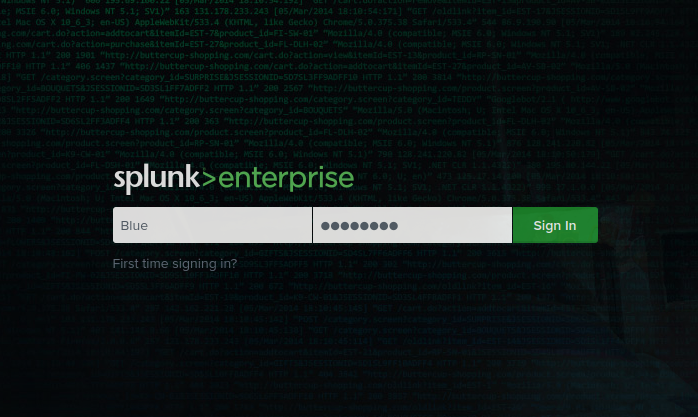
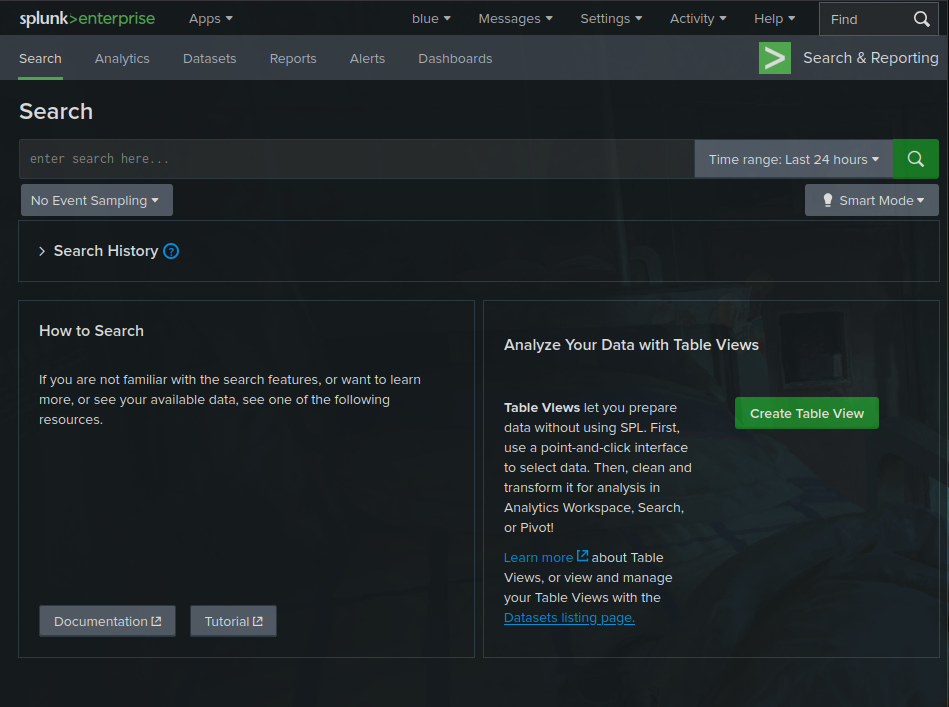
After successfully logging in, we’re greeted with the Splunk interface:
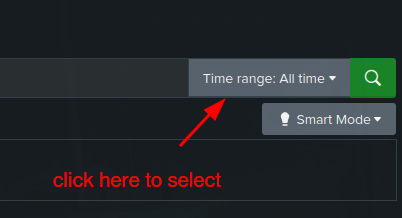
Pro tip: Make sure to adjust your Splunk time range to include all the events we need to investigate. I recommend setting it to “Last 7 days” or “All time” to avoid those frustrating “No results found” moments!
Step 1: Detecting Suspicious Web Commands
Let’s start our investigation by hunting for HTTP requests that might reveal malicious activity. Command injection attacks often target vulnerable CGI scripts, so we’ll search for telltale signs:
index=windows_apache_access (cmd.exe OR powershell OR "powershell.exe" OR "Invoke-Expression") | table _time host clientip uri_path uri_query statusThis query helps us identify potential command injection attacks where attackers try to execute system commands through vulnerable scripts like hello.bat.
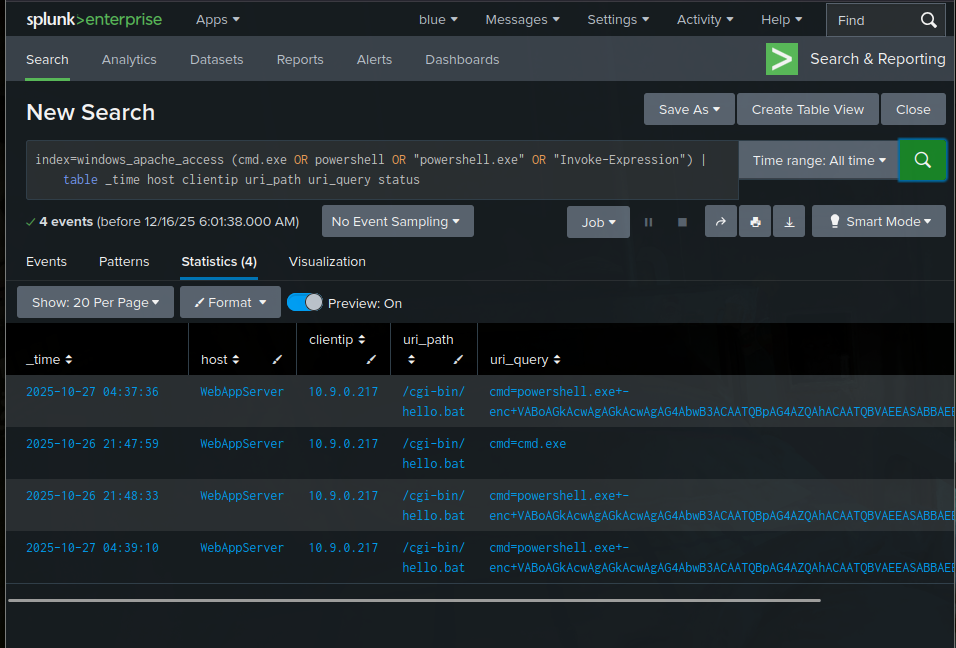
Bingo! We can see some interesting base64-encoded strings in the results. When dealing with encoded PowerShell commands, it’s time to break out our decoder. I found this encoded string: VABoAGkAcwAgAGkAcwAgAG4AbwB3ACAATQBpAG4AZQAhACAATQBVAEEASABBAEEASABBAEEA
Let’s decode it using base64decode.org:
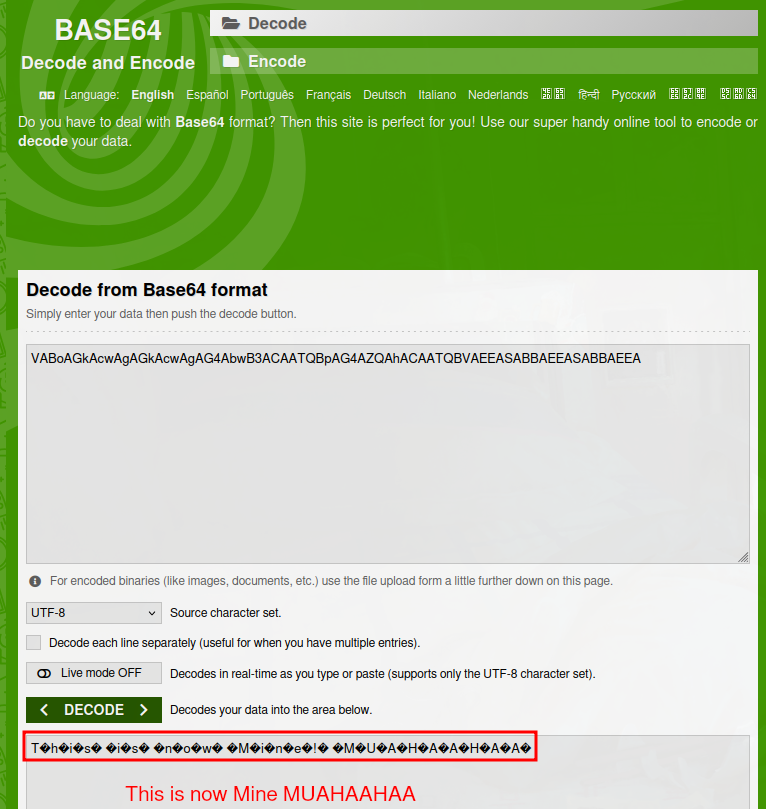
Interesting! The decoded message reveals “This is now Mine! MUAHAHAHA” - definitely not something you want to see in your logs!
Step 2: Investigating Apache Error Logs
Now let’s dig into the server-side errors to see if these malicious requests actually caused any damage:
index=windows_apache_error ("cmd.exe" OR "powershell" OR "Internal Server Error")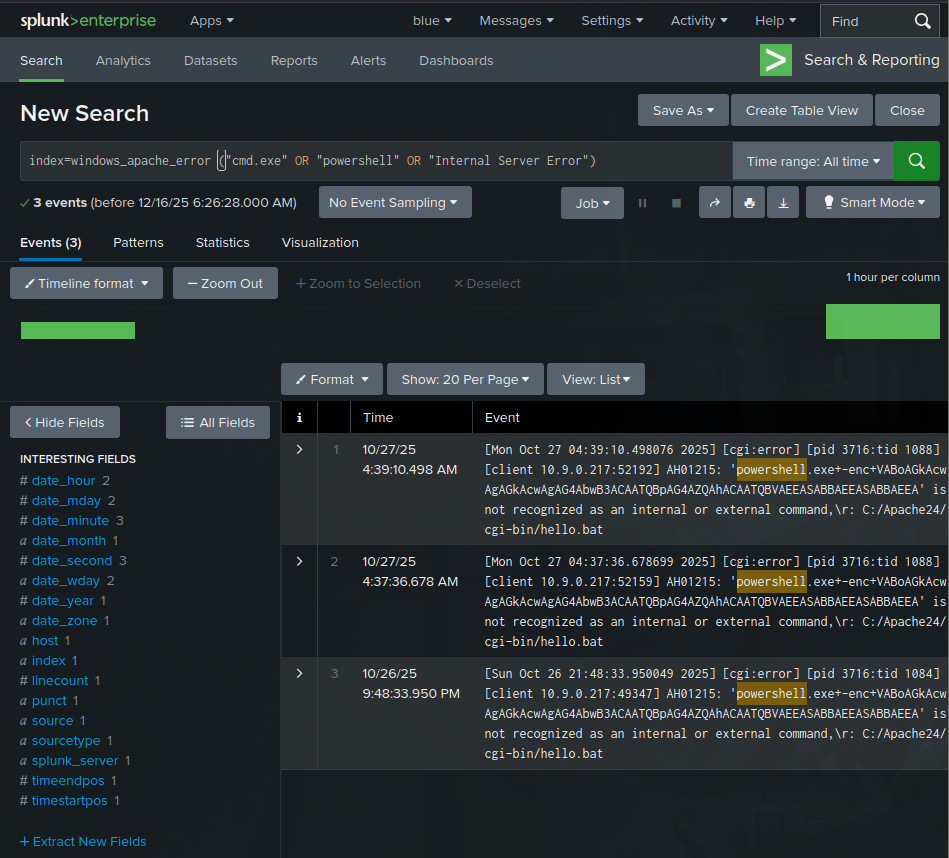
This query examines Apache error logs for signs of execution attempts or internal failures caused by malicious requests. When we see requests like /cgi-bin/hello.bat?cmd=powershell triggering 500 “Internal Server Error” responses, it often indicates the attacker’s input was processed but failed during execution.
Step 3: Tracing Suspicious Process Creation
Time to dive deeper with Sysmon! Let’s see what processes Apache might have spawned:
index=windows_sysmon ParentImage="*httpd.exe"This query focuses on process relationships, specifically looking for child processes spawned by Apache (httpd.exe).
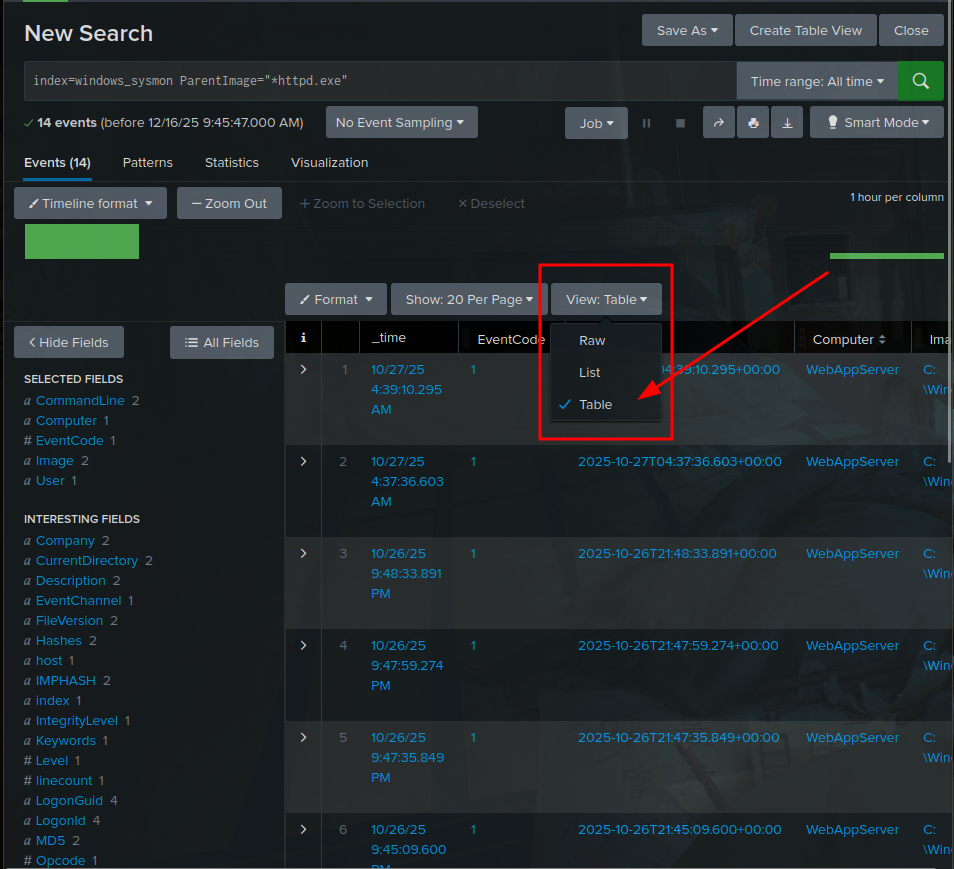
This is where things get really concerning! Normally, Apache should only spawn worker threads, not system processes like cmd.exe or powershell.exe. Finding results that show:
- Parent Image =
C:\Apache24\bin\httpd.exe - Image =
C:\Windows\System32\cmd.exe
This is a smoking gun indicating successful command injection where Apache executed system commands!
Step 4: Confirming Attacker Reconnaissance
Let’s see what the attacker did after gaining code execution:
index=windows_sysmon *cmd.exe* *whoami*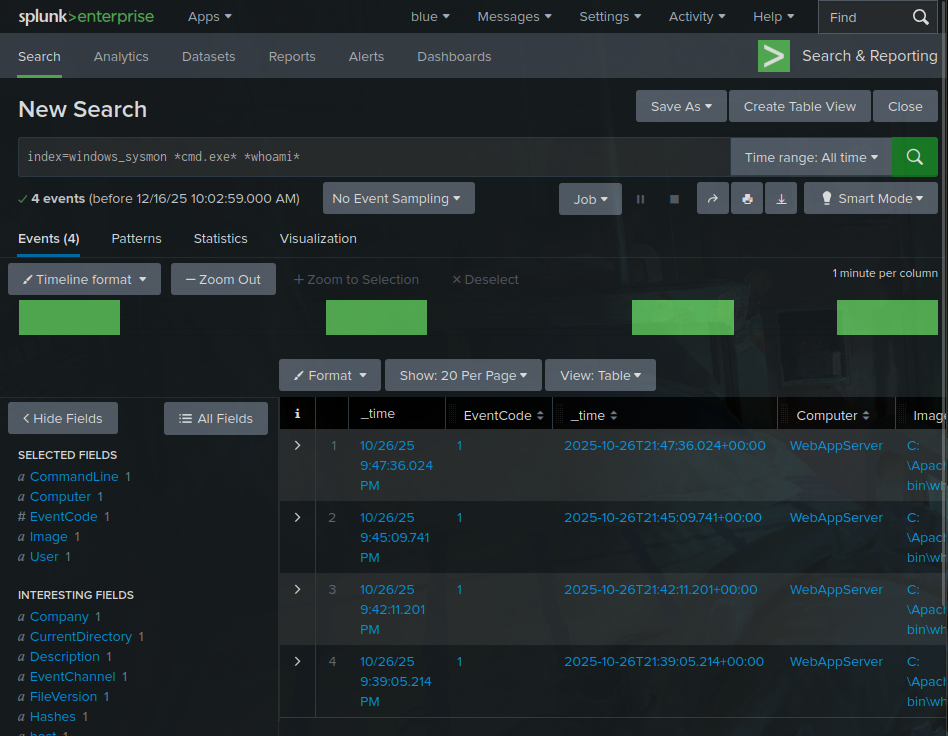
Perfect! This query reveals cmd.exe running the whoami command. Attackers almost always use whoami immediately after gaining code execution to determine which user account their malicious process is running under. This confirms successful post-exploitation reconnaissance!
Step 5: Hunting for Base64-Encoded PowerShell Payloads
Finally, let’s search for any successfully executed encoded commands:
index=windows_sysmon Image="*powershell.exe" (CommandLine="*enc*" OR CommandLine="*-EncodedCommand*" OR CommandLine="*Base64*")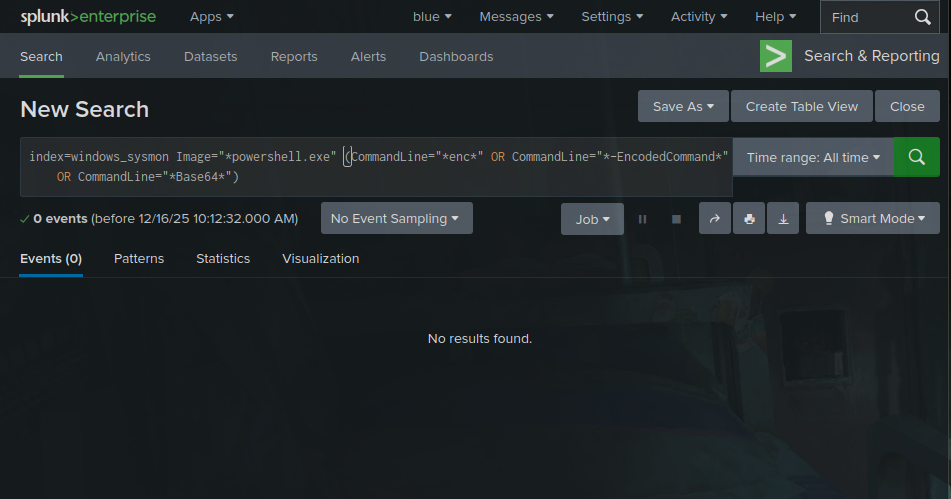
Good news! This query should return no results if our defenses worked correctly, meaning the encoded payload (like our “Muahahaha” message) never actually executed.
Challenge Questions & Answers
Q1: What is the reconnaissance executable file name?
Since attackers typically use whoami immediately after gaining code execution, we can find this in our Sysmon logs:
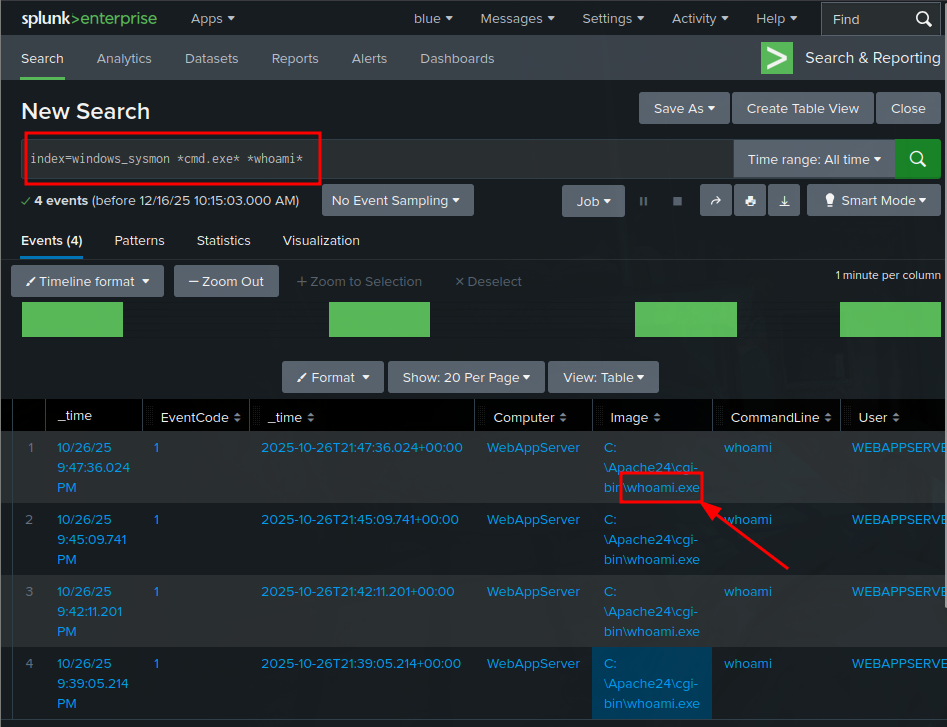
Answer: whoami.exe
Q2: What executable did the attacker run through the command injection?
Looking back at our initial command injection detection query, we can see the attacker attempted to execute:
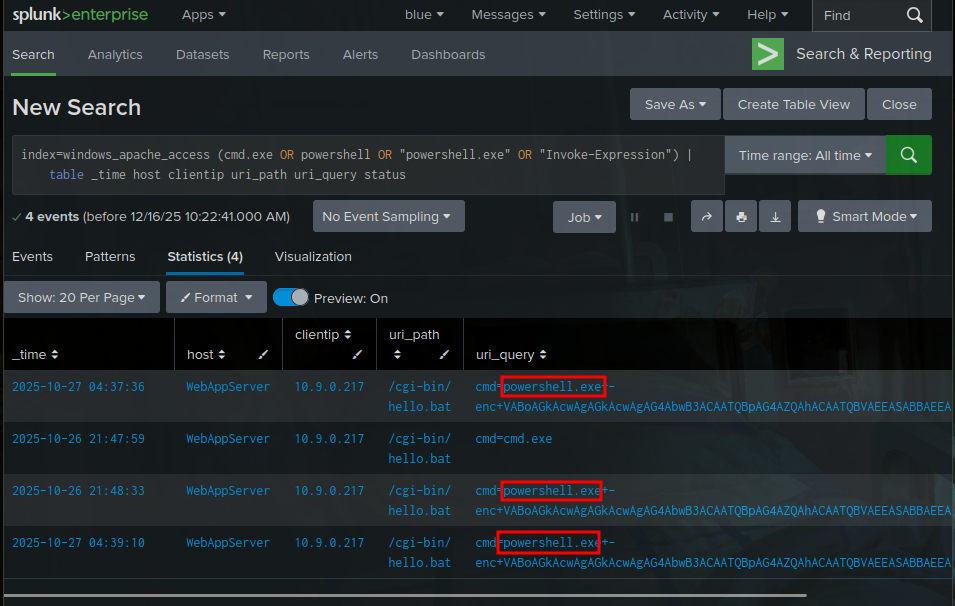
Answer: powershell.exe
Key Takeaways
This investigation taught us some crucial lessons about web attack forensics:
- Log correlation is everything - By combining Apache access logs, error logs, and Sysmon data, we built a complete picture of the attack
- Base64 encoding is a red flag - Attackers love hiding their payloads in encoded strings
- Process relationships matter - Unusual parent-child process relationships often indicate successful exploitation
- Post-exploitation patterns are predictable - Commands like
whoamiare classic reconnaissance indicators
Defensive Recommendations
Based on this investigation, here are some key defensive measures:
- Input validation: Properly sanitize all user inputs, especially in CGI scripts
- Process monitoring: Alert on unusual process spawning from web servers
- Log analysis: Implement robust log correlation and analysis capabilities
- Base64 detection: Monitor for suspicious encoded content in web requests
- Principle of least privilege: Run web services with minimal necessary permissions
Thanks for joining me on this forensic investigation! Web attack analysis is such a crucial skill for blue teamers, and rooms like this really help build that investigative mindset. Keep practicing, and remember - the logs always tell a story if you know how to read them!
Happy hunting! 🕵️♂️
Next reads
View all →30 Jan
Cloud Security Pitfalls - TryHackMe Writeup
A friendly, SOC-focused walkthrough of cloud migration risks, shared responsibility, logging challenges, and practical monitoring takeaways.
27 Jan
Probably Just Fine - TryHackMe First Shift CTF Writeup
A step-by-step SOC investigation through TryHackMe's First Shift CTF scenario, covering threat intel lookups, file hash analysis, and report-driven attribution insights.
31 Dec
Mastering Obfuscation Principles - TryHackMe Writeup
A comprehensive guide to understanding obfuscation techniques for malware evasion, from basic concatenation to advanced control flow manipulation. Learn how attackers hide their code and how defenders can spot these techniques.
Get posts by email
One email when I publish, not a drip, not weekly. Sign up and I'll only write when there's something new.
You won't get mail just for signing up. Unsubscribe any time.